

Magic Brooms
By Iced_Fox_Studios

Magic Brooms
Magic Brooms adds 14 fully rideable broomsticks to Minecraft, built around real flight, magical abilities and survival progression.
Flying feels like riding an actual broom rather than using Creative Mode. Brooms have momentum, controlled ascent and descent, smooth steering, banking animations and visual feedback that follows every movement.
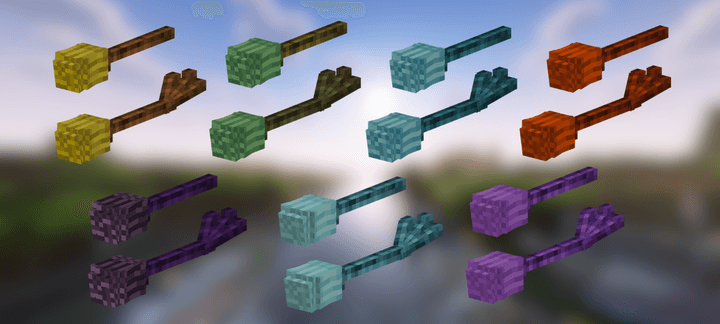
There are seven broom families, each with a standard and upgraded version:
Magic, Fire, Ice, Lightning, Ender, Grove and Tide.
The six magical families have their own scroll ability, particles, sounds and gameplay style. Cast rings of fire, summon lightning, create frost storms, blink through the air, protect allies with nature magic or launch enemies with a tidal wave.
Build Them Yourself
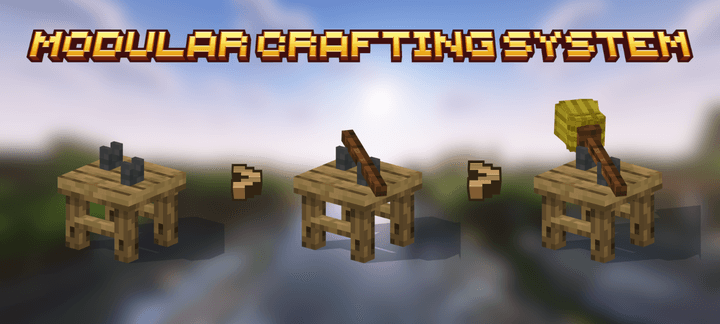
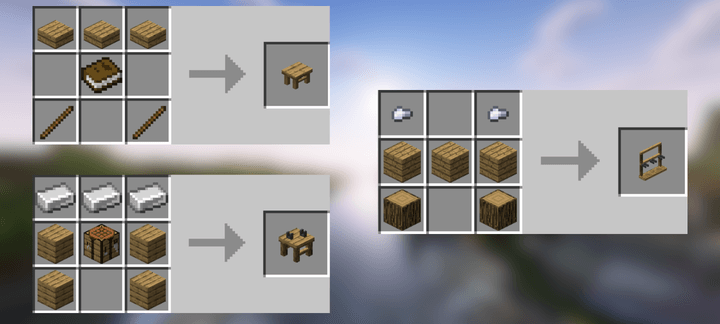
Brooms are assembled physically on the Broom Assembly Bench.
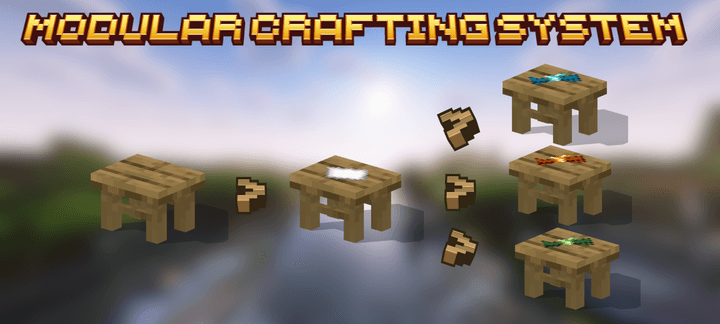
Add wood, attach the hay, infuse it with a magical catalyst and optionally install an upgrade. Every step appears directly on the bench, and the finished broom floats toward you when completed.
SHOWCASE 3.0
🌟 Support Our Creative Journey!
Help us continue delivering exceptional content! Every contribution fuels development, enhances resources, and drives innovation. If our work enriches your Minecraft experience, consider supporting our growth. Your generosity means everything! 💖
[Donate Now]
🌐 Exclusive Early Access
Discover all our addons and be the first to experience new updates on our official website! Latest versions debut here before anywhere else.
[Visit Official Website]
❄️🦊 Join Iced Fox Studios! 🦊❄️
Unlock Minecraft's full potential with our hub for mods, tools, and exclusive rewards:
| Feature | Highlights |
|---|---|
| 🎁 Daily Rewards | Free skins, textures, and loot + seasonal event cosmetics. |
| 🛠️ Pro Tools | World editors, texture creators, auto-updaters (beginner to expert). |
| 🕹️ Minigames | Play to support us + earn redeemable points. |
| 🌐 Community | Forums, Discord, achievement tracking & collaborative projects. |
JOIN PLATFORM
JOIN DISCORD --> Click Here
